AI Chatbots and Automation
ManyChat, Voiceflow and Make let a non-coder build a working bot and wire it into real actions. Map the flow first, then build, connect and test.
A chatbot is just a conversation that runs without you, and an automation is the wiring that turns that conversation into real actions like sending an email or saving a lead. None of it requires code anymore. ManyChat handles social DMs, Voiceflow designs smarter AI agents visually, and Make connects the bot to the rest of your tools. The trick is to design the flow before you touch any builder.
Map the conversation first
Before you open a tool, sketch the conversation on paper. What does the user say first, what does the bot ask, and where does each answer lead? A clear map of branches and dead ends saves you from building a tangled flow you cannot debug later. Decide up front which parts are simple fixed replies and which need an AI model to handle freeform questions.
Build a social bot in ManyChat
For Instagram and Messenger, ManyChat is the standard. A common high-value pattern is comment-to-DM: someone comments a keyword on your post, and the bot automatically sends them a link or a freebie in the DMs, capturing a lead in the process. Build that one flow well and it can run a whole lead engine on autopilot.
How to Build a Manychat AutomationOfficial help article that walks through building a flow-based automation step by step.help.manychat.comDesign a smarter agent in Voiceflow
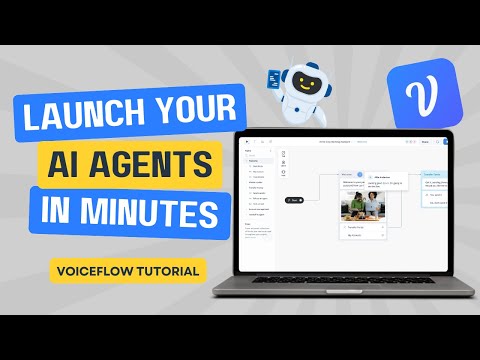
When you need a real conversational agent, for a website or a support assistant, Voiceflow gives you a visual canvas to design the dialogue and plug in an AI model for dynamic replies. You drag blocks for each step, connect them, and test the conversation as you build. It is the bridge between a rigid menu bot and a genuinely helpful assistant.
 19:40
19:40Connect everything with Make
A bot that only chats is half a tool. Make is a visual automation platform that links your bot to the apps you actually use, so a captured lead lands in your CRM, triggers an email, or adds a row to a spreadsheet. You build a scenario by chaining modules, no code required, and it runs every time the trigger fires.
How to Create a Chatbot Using Make.com: A Step-by-Step GuideBuild a no-code chatbot wired into Make scenarios for CRM and email actions.voiceflow.com| Job | Tool | Why |
|---|---|---|
| Social DMs | ManyChat | Leader for Instagram and Messenger automation |
| AI agents | Voiceflow | Visual builder for polished AI agents |
| Support bot | Chatbase | Trained support chatbot from your own docs |
| Connecting tools | Make | Visual no-code automation between apps |
Test before you launch
Walk every branch yourself, including the wrong answers and the dead ends, before you turn it on for real users. A bot that breaks on the first unexpected reply does more harm than no bot at all. Once it holds up, watch the early conversations and patch the gaps you find.
- Map the conversation and its branches on paper.
- Build predictable paths as fixed flows.
- Add an AI model where users type freeform questions.
- Connect the bot to your tools with an automation platform.
- Test every path, then launch and refine from real chats.
0 Comments
Loading discussion...